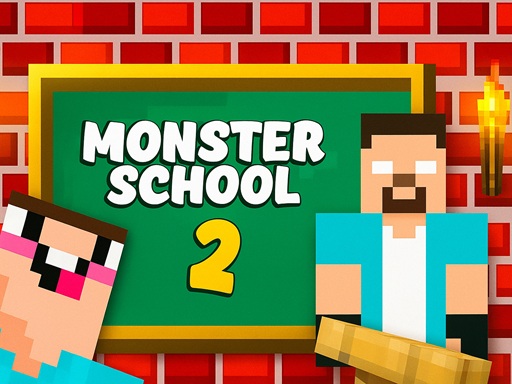
Monster School 2 – Game Overview
In Monster School 2, you step into a quirky training ground where Minecraft-style monsters compete to prove who’s truly a pro. Under the strict yet entertaining supervision of Herobrin’s teacher, you’ll tackle a series of varied mini-game tests. From Bottle Flip physics puzzles to precision parkour and heart-pumping roller coaster trials, each challenge pushes your timing, control, and decision-making skills.
This browser game blends arcade style with skill-based mechanics, making Monster School 2 easy to pick up but tricky to master. Whether you are flipping bottles or navigating a twisting coaster, every test feels fresh and demanding.
How to Play
Gameplay in Monster School 2 is intuitive yet demands focus:
- Each test starts when you click the left mouse button.
- The challenge begins immediately after your click, so be ready to react.
- You often have to time your clicks or movements carefully to succeed.
- The game loops through a variety of tests, each with a different objective and mechanics.
The core loop is simple: start a test, complete the task, then move on to the next. However, mastering each test’s unique physics or timing requires patience.
Controls
Mouse Controls:
- Left Click: Start an activity, flip bottles, and interact with game elements.
- There are no keyboard controls in Monster School 2.
- Touch gestures: Not supported; this game plays best with a mouse on desktop.
The entire gameplay revolves around one control input, so understanding when and how to use it is key.
Tips & Strategies
Here are practical ways to improve your performance in Monster School 2:
1. Anticipate Actions: Before clicking, take a split second to observe the movement patterns or physics. Rushing often leads to early failure.
2. Micro-Timing Matters: Especially in parkour tests, aim for precise clicks rather than rapid ones; timing makes or breaks your run.
3. Study Each Test: When a new challenge appears, pause for a moment. Recognizing the goal quickly saves time and lives.
4. Reset Smartly: If you fail early in a sequence of tests, restart quickly. Some tests reset faster and give you a better chance on the next run.
5. Learn the Bottle Physics: In the Bottle Flip challenge, speed is less important than angle. Try to adjust timing so bottles land upright more often.
6. Use Visual Cues: Track moving platforms or coaster tracks with your eyes. Clicking exactly when objects align increases success rates.
7. Stay Patient: Each mini-game has a rhythm. Forcing clicks out of rhythm usually costs more tries.
What Most Players Misunderstand and Why Rushing Early Hurts Progress
A common misconception among new players is that Monster School 2 is simply about fast clicking or reacting as quickly as possible. In reality, each test has its own rhythm and physics behavior. For example, in the Bottle Flip section, simply clicking rapidly does not help. The bottle’s trajectory and rotation must be factored in. Many players rush straight through this segment, assuming speed equals success. That results in multiple early failures.
Similarly, in parkour tests, players often dash forward without watching the patterned timing of the platforms. The key is recognizing movement cycles before jumping. Rushing into jumps increases the likelihood of falling and starting over. Good players learn to slow down their thought process just enough to time actions accurately. That slight pause does not feel natural at first, but it directly translates to longer runs and better scores. Taking a moment to observe before acting makes difficult tests feel manageable, even when the pace seems fast.
Similar Games You Might Enjoy
If you like Monster School 2, you’ll also enjoy these browser titles:
Frequently Asked Questions
Is Monster School 2 free to play?
Yes, you can play Monster School 2 online in your browser at no cost.
What controls do I need?
You only need the left mouse button to interact and start each challenge. There are no keyboard controls.
Can I play this on mobile?
Monster School 2 is best with a mouse on desktop and does not support touch controls natively.
Do the challenges change each time?
The tests rotate through set mini-games, but mastering them still feels fresh because timing and physics vary.
Is there a scoring or progression system?
Progress is about completing tests and improving your consistency across them rather than a traditional level bar.